Mbrew · User guide
Plan the sugar for bottle conditioning
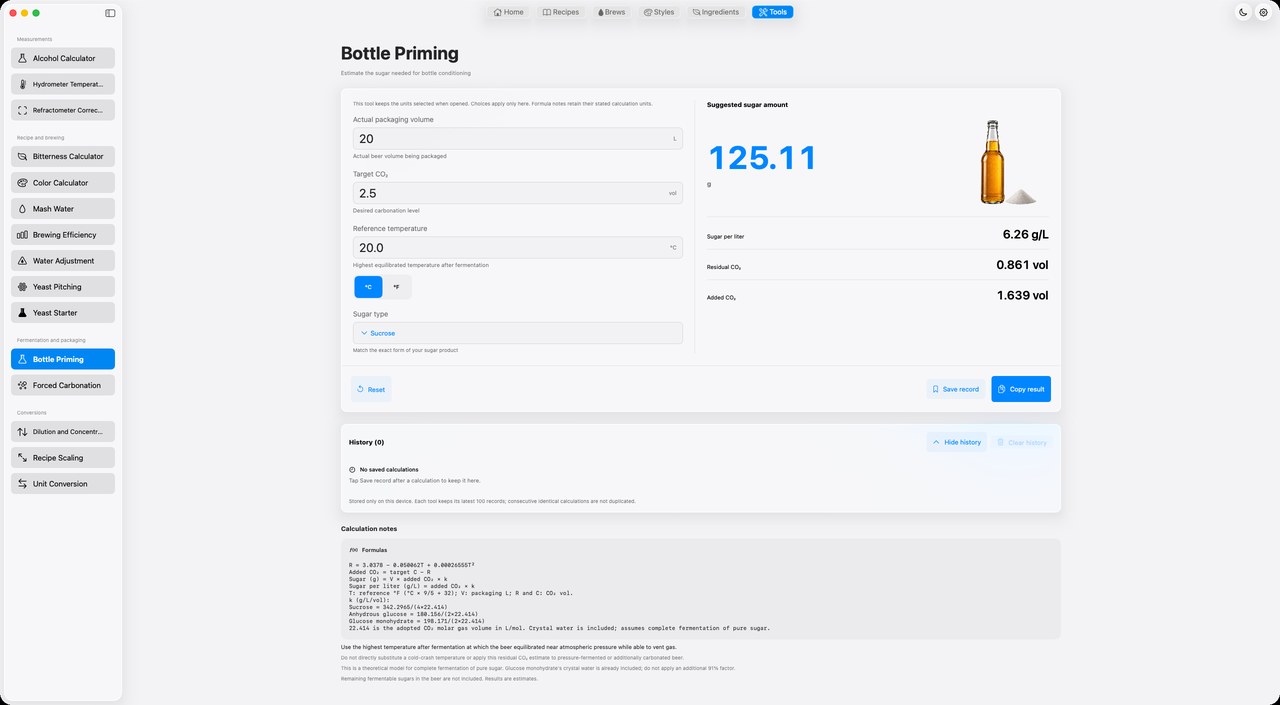
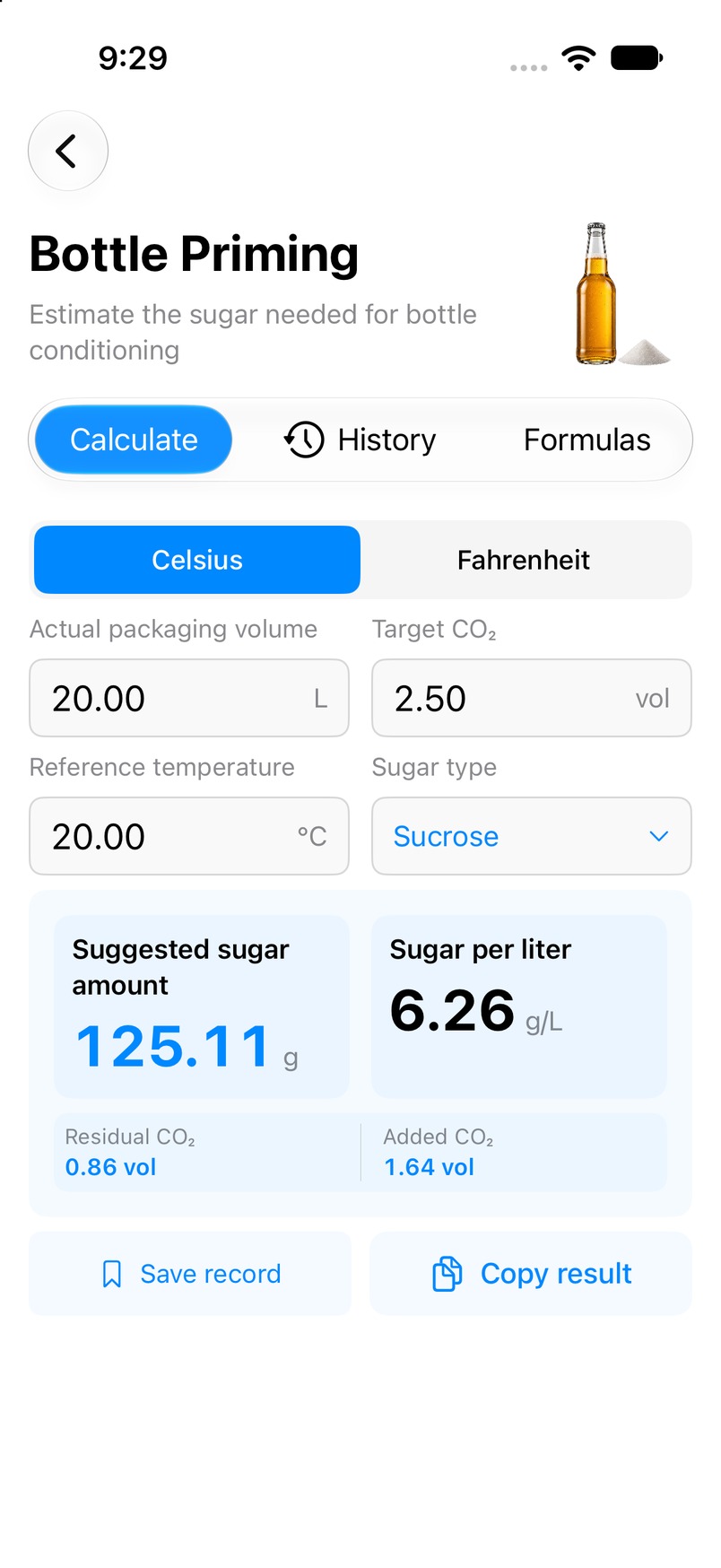
Estimate a priming sugar dose from the actual beer volume you will bottle, your target carbonation and a reference temperature. Choose the sugar's exact form to account for differences between sucrose and glucose.
macOS · iOS · iPadOS — Mac preview; iPhone and iPad in beta.
This page explains a tool in the Mbrew app. Perform the calculation in Mbrew; this website does not run the calculator.
App availabilityWhat you enter
Actual packaging volume, target CO₂ in volumes, reference temperature, and sugar type: sucrose, anhydrous glucose or glucose monohydrate.
What you get
Estimated total sugar amount, sugar per liter, estimated residual CO₂ and added CO₂.
How to use it
- Open Bottle Priming from Tools in Mbrew and enter the actual volume being packaged.
- Enter the target CO₂ and the highest post-fermentation temperature at which the beer equilibrated near atmospheric pressure while able to vent gas.
- Select the exact sugar form, then review the dose, residual CO₂ and calculation notes before copying or saving the result.
Interpreting the result
The model assumes complete fermentation of pure sugar and does not include remaining fermentable sugars in the beer. Do not substitute a cold-crash temperature or apply this residual CO₂ estimate to pressure-fermented or additionally carbonated beer. A calculated dose does not confirm fermentation completion or bottle suitability.
Common questions
- Which temperature should I enter?
- Use the highest equilibrated temperature after fermentation while the beer was near atmospheric pressure and able to vent gas. A later cold-crash temperature is not a direct substitute.
- Does sugar type change the result?
- Yes. Select sucrose, anhydrous glucose or glucose monohydrate to match the product. The monohydrate model already includes crystal water.
- Can adding sugar reduce carbonation?
- No. When the target is below estimated residual CO₂, the app reports that the target cannot be reached by adding sugar.